FAQ – My QRMenu & Digital Menu Support
Find clear answers about creating, scanning, branding, scheduling and managing your QR code menu or digital restaurant menu with MyQRMenu — the platform focused entirely on fast, simple and reliable online menus.
New to MyQRMenu? You can also explore our Features and Case Studies to see how other venues use digital menus in real life.
Getting started with your QR Digital Menu
What is a QR code menu for restaurants?
A QR menu is a digital version of your restaurant’s menu. Instead of handing out paper menus, guests scan a printed QR code with their smartphone and instantly see a mobile-friendly, always up-to-date menu in their browser.
This makes it easier to update dishes, prices and availability without reprinting anything. It improves hygiene, saves printing costs, and gives your guests a faster, more modern experience — especially useful for busy restaurants, hotels, cafés and food trucks.
With MyQRMenu, your QR code menu is optimized for speed and clarity, so guests can browse quickly, even during peak hours or on slower Wi-Fi.
Explore Features →Do customers need an app to view the digital menu?
No — your guests do not need to download or install anything.
When they scan your QR code, the menu opens directly in their mobile browser (iOS, Android or tablet).
There are no app store searches, no updates or logins, and no extra steps — just fast and easy access to your digital menu.
This contactless, app-free flow is ideal for venues that want to keep things simple for guests and staff, while still using a professional digital restaurant menu.
How It Works →How do I create a free QR menu with My QRMenu?
MyQRMenu is designed to be zero-learning — you don’t need technical skills or complex training.
To create your first QR menu:
- Step 1: Register for a free account.
- Step 2: Create categories and add dishes with prices and images.
- Step 3: Generate your QR code and print it once.
From there, you can change your digital menu as often as you like — update prices, hide items, reorder dishes — without ever reprinting your QR codes (unless you want to change the design).
Our platform is dedicated only to digital menus, which means you don’t have to deal with heavy modules or bloated dashboards. Just a clean interface focused on your menu, built for real hospitality operations.
Create Free QR Menu →Branding, customization and QR code scanning
Can I customize my QR code and branding?
Yes — MyQRMenu includes a Branded QR Generator that lets you design QRs that look like part of your brand, not just black-and-white squares.
You can:
- Add your logo to your QR code
- Use your brand colors and styles
- Export print-ready files for tables, menus, stands or posters
- Create different designs for specific areas (bar, terrace, hotel rooms)
The best part? After you print your QR codes once, you do not need to reprint them whenever you change your menu. All updates happen inside MyQRMenu — prices, dishes, categories, availability — while your QR code remains the same and continues to work.
You only reprint QRs if you want a completely new design from the QR code builder in our Features section.
Open QR Code Builder →Do I need to reprint QR codes when I change the menu?
No — that’s one of the biggest advantages of using a digital menu system like MyQRMenu.
Once you print your QR codes and place them on tables, at the bar, in hotel rooms or at the entrance, you can manage everything else directly from our online platform:
- Update dish names, descriptions and prices
- Hide items that are out of stock with a single click
- Reorder categories and menu sections
- Schedule different menus for different times
Your guests will always see the latest digital menu, but your printed QR code stays the same. This saves time, reduces printing costs and prevents confusion during service.
See All Menu Features →How do guests scan a menu QR code?
Guests simply use their smartphone camera and point it at the QR code. Most modern phones detect the code instantly and display a link to your digital menu, which opens in the browser.
This makes the experience fast and intuitive, even for first-time users. It is a perfect fit for contactless ordering, high-traffic venues and modern hospitality concepts.
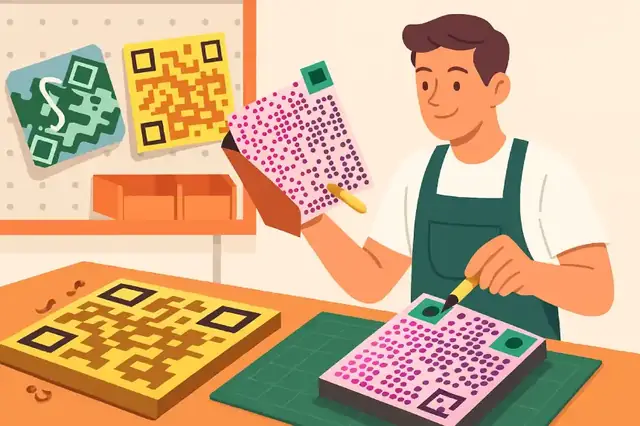
Make It Yours — Custom QR Branding
Add your logo, choose your colors, and design a QR menu that matches your restaurant’s style.
Try It NowScheduling and day-to-day operations
How do scheduled menus work (lunch, dinner, happy hour)?
MyQRMenu includes Smart Category Scheduling, which allows you to automatically display different menus at specific times and days.
For example:
- Breakfast menu from 08:00 – 11:00
- Lunch menu from 12:00 – 15:00
- Dinner and à la carte from 18:00 onwards
- Happy Hour drinks between 18:00 – 19:00
Once you configure your schedule, your digital menu updates itself — no manual switching, no outdated items, no stress during service. This is especially powerful for restaurants, bars and hotels that run multiple menu types throughout the day.
You can see how real venues use this automation in our Case Studies page.
Learn About Smart Scheduling →Is MyQRMenu complicated or full of extra modules?
No — MyQRMenu is intentionally focused on one thing done extremely well: managing your digital QR restaurant menu.
Unlike heavy platforms that try to do everything, we concentrate on:
- Fast and easy menu creation
- Instant updates and item availability control
- Smart scheduling and multi-menu support
- Clear analytics that help you make decisions
In the future, we plan to extend features like ordering and more advanced workflows — but the core promise will stay the same: a simple, intuitive interface that your team can use without training.
Why Our Platform Stays Simple →Plans, payments and promotions
Can I change or upgrade my plan anytime?
Yes — you can upgrade, downgrade or adjust your plan as your business evolves. Start with a smaller plan while you experiment, then move to a higher tier when you add more locations, menus or advanced features.
Each plan is designed for different types of venues — from small cafés to multi-location hotels. You can compare them on our pricing page in a few seconds.
See Pricing Plans →Which payment methods are supported?
MyQRMenu uses Stripe for subscription billing, which supports major international payment methods such as:
- Visa and Mastercard
- Apple Pay and Google Pay
- Other card brands depending on your country
Payments are encrypted, secure and follow industry-standard compliance.
Learn More About Payments →Real Restaurants. Real Results.
Discover how cafés, hotels, and food trucks use My QRMenu to automate daily tasks and create better guest experiences.
View Case Studies